

wp:paragraph
Roblox is one of the most popular online gaming platforms, connecting millions of players worldwide in countless user-made games. However, technical hiccups can occasionally get in the way.
/wp:paragraph
wp:paragraph
If you’re having trouble opening Roblox, redeeming gift cards, or accessing certain games, this guide will walk you through what might be going wrong and how to resolve it.
/wp:paragraph
wp:image {“id”:54105,”width”:”654px”,”height”:”auto”,”sizeSlug”:”full”,”linkDestination”:”media”,”align”:”center”}
/wp:image
wp:heading
Part 1: Reasons Roblox Might Not Be Working — And What You Can Do
/wp:heading
wp:paragraph
Several common issues can cause Roblox to malfunction. Here’s a look at what they are and how you can fix them:
/wp:paragraph
wp:heading {“level”:3}
1. Server Issues
/wp:heading
wp:paragraph
At times, Roblox servers are taken offline for maintenance or due to unexpected problems.
/wp:paragraph
wp:paragraph
What You Can Do:
/wp:paragraph
wp:list
- wp:list-item
- Check Server Status: Go to Roblox’s official status page or use websites like DownDetector to confirm if others are also having issues.
/wp:list-item
/wp:list
wp:paragraph
/wp:paragraph
wp:list
- wp:list-item
- Be Patient: If Roblox servers are down, all you can do is wait for service to resume.
/wp:list-item
/wp:list
wp:heading {“level”:3}
2. Internet Problems
/wp:heading
wp:paragraph
A poor or unstable internet connection can interrupt gameplay or prevent access entirely.
/wp:paragraph
wp:paragraph
How to Fix It:
/wp:paragraph
wp:list
- wp:list-item
- Test Your Connection: See if other websites or apps are working correctly.
/wp:list-item
/wp:list
wp:paragraph
/wp:paragraph
wp:list
- wp:list-item
- Restart Your Router: Turn off your router for 30 seconds and then power it back on.
/wp:list-item
/wp:list
wp:paragraph
/wp:paragraph
wp:list
- wp:list-item
- Use LagoFast: If lag is consistent, try using a game booster like LagoFast to improve performance.
/wp:list-item
/wp:list
wp:heading {“level”:3}
3. Outdated Roblox Version
/wp:heading
wp:paragraph
An older version of the Roblox app might not run smoothly.
/wp:paragraph
wp:paragraph
Solution:
/wp:paragraph
wp:list
- wp:list-item
- Update Roblox: Open the app to trigger an automatic update or visit your device’s app store to install the latest version manually.
/wp:list-item
/wp:list
wp:heading {“level”:3}
4. Device-Related Issues
/wp:heading
wp:paragraph
Your device settings or stored data may interfere with Roblox.
/wp:paragraph
wp:paragraph
Try This:
/wp:paragraph
wp:list
- wp:list-item
- Clear Browser Cache: If playing in a browser, remove cookies and temporary files.
/wp:list-item
/wp:list
wp:paragraph
/wp:paragraph
wp:list
- wp:list-item
- Reinstall the App: Uninstall Roblox and install it again to start fresh.
/wp:list-item
/wp:list
wp:image {“id”:54107,”width”:”662px”,”height”:”auto”,”sizeSlug”:”full”,”linkDestination”:”media”,”align”:”center”}
/wp:image
wp:heading
Part 2: Roblox Won’t Start — How to Troubleshoot
/wp:heading
wp:paragraph
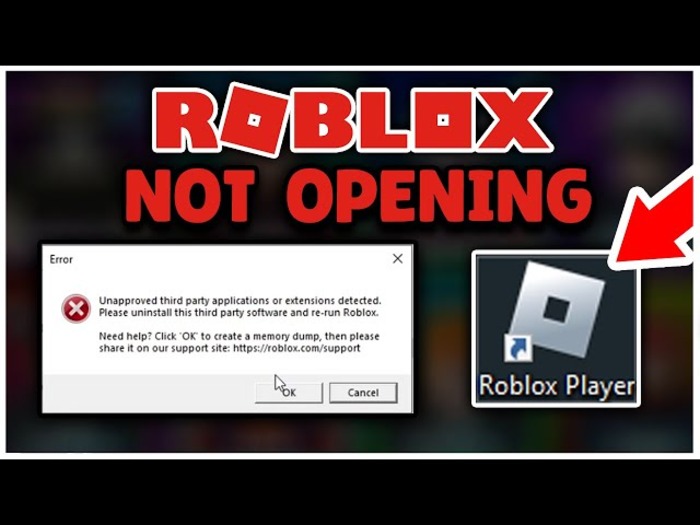
If Roblox isn’t launching or freezes before loading, try these steps:
/wp:paragraph
wp:heading {“level”:3}
1. Restart Your Device
/wp:heading
wp:paragraph
Turning your phone, computer, or console off and on can often fix minor bugs.
/wp:paragraph
wp:heading {“level”:3}
2. Temporarily Disable Security Software
/wp:heading
wp:paragraph
Firewalls or antivirus programs may block Roblox from launching.
/wp:paragraph
wp:paragraph
Steps:
/wp:paragraph
wp:list
- wp:list-item
- Windows: Open your antivirus settings and turn off real-time protection.
/wp:list-item
/wp:list
wp:paragraph
/wp:paragraph
wp:list
- wp:list-item
- macOS: Visit System Preferences and turn off any active security features.
/wp:list-item
/wp:list
wp:heading {“level”:3}
3. Run as Administrator (PC Only)
/wp:heading
wp:paragraph
Providing Roblox with admin rights can fix permission-related launch problems.
/wp:paragraph
wp:paragraph
How to Do It:
/wp:paragraph
wp:list
- wp:list-item
- Right-click the Roblox icon and select “Run as Administrator.”
/wp:list-item
/wp:list
wp:heading {“level”:3}
4. Check System Compatibility
/wp:heading
wp:paragraph
Make sure your device meets Roblox’s minimum system requirements, which you can find on their official website.
/wp:paragraph
wp:heading
Part 3: Roblox Gift Cards Not Working
/wp:heading
wp:paragraph
If you’re having trouble redeeming a Robux gift card, here are a few possible reasons:
/wp:paragraph
wp:paragraph
Common Issues:
/wp:paragraph
wp:list
- wp:list-item
- Wrong Code: Typos or entering the wrong digits will prevent redemption.
/wp:list-item
/wp:list
wp:paragraph
/wp:paragraph
wp:list
- wp:list-item
- Used Card: Someone may have already redeemed the card.
/wp:list-item
/wp:list
wp:paragraph
/wp:paragraph
wp:list
- wp:list-item
- Region Limitations: Some cards only work in certain countries.
/wp:list-item
/wp:list
wp:paragraph
How to Fix It:
/wp:paragraph
wp:list
- wp:list-item
- Recheck the Code: Enter it exactly as it appears, avoiding any extra spaces.
/wp:list-item
/wp:list
wp:paragraph
/wp:paragraph
wp:list
- wp:list-item
- Check Account Standing: Make sure your Roblox account isn’t restricted.
/wp:list-item
/wp:list
wp:paragraph
/wp:paragraph
wp:list
- wp:list-item
- Contact Roblox Support: If the code seems fine but still doesn’t work, reach out to customer service.
/wp:list-item
/wp:list
wp:image {“id”:54106,”width”:”668px”,”height”:”auto”,”sizeSlug”:”full”,”linkDestination”:”media”,”align”:”center”}
/wp:image
wp:heading
Part 4: One Specific Roblox Game Not Working?
/wp:heading
wp:paragraph
If everything else runs fine but a single game won’t load or crashes, the issue may be isolated to that game.
/wp:paragraph
wp:paragraph
Possible Reasons:
/wp:paragraph
wp:list
- wp:list-item
- The Game Server Is Down: The individual game’s server might be having issues.
/wp:list-item
/wp:list
wp:paragraph
/wp:paragraph
wp:list
- wp:list-item
- Game Errors: Bugs within the game could be causing the problem.
/wp:list-item
/wp:list
wp:paragraph
/wp:paragraph
wp:list
- wp:list-item
- Account Settings: Parental controls or privacy filters may block access.
/wp:list-item
/wp:list
wp:paragraph
How to Troubleshoot:
/wp:paragraph
wp:list
- wp:list-item
- Visit the Game Page: Check for any messages from the developer or recent update notes.
/wp:list-item
/wp:list
wp:paragraph
/wp:paragraph
wp:list
- wp:list-item
- Contact the Creator: Use the contact link provided on the game’s profile.
/wp:list-item
/wp:list
wp:paragraph
/wp:paragraph
wp:list
- wp:list-item
- Review Your Settings: Make sure your account permissions aren’t stopping you from joining.
/wp:list-item
/wp:list
wp:heading
Final Tips
/wp:heading
wp:paragraph
If Roblox stops working, it’s usually because of a few typical problems: server downtime, internet issues, outdated versions, or device configuration errors.
/wp:paragraph
wp:paragraph
Using the methods above, most problems can be resolved quickly.
/wp:paragraph
wp:paragraph
Whether you’re having trouble launching the game, redeeming a code, or loading a specific experience, there’s often a straightforward fix.
/wp:paragraph
wp:paragraph
And if you’re looking to reduce lag or improve in-game performance, tools like LagoFast can help by optimizing your connection.
/wp:paragraph
wp:heading
FAQs
/wp:heading
wp:heading {“level”:3}
1. Why won’t Roblox run on my device?
/wp:heading
wp:paragraph
This could be due to poor connectivity, an outdated app, or temporary server outages. Restart your device, check your internet, and update Roblox to see if the issue clears.
/wp:paragraph
wp:heading {“level”:3}
2. What should I do if Roblox won’t open on my PC?
/wp:heading
wp:paragraph
Try rebooting your system, disabling security software briefly, or reinstalling the app. You can also run Roblox as an administrator.
/wp:paragraph
wp:heading {“level”:3}
3. Why isn’t my Roblox gift card working?
/wp:heading
wp:paragraph
Ensure the code is correct, hasn’t already been redeemed, and is valid in your region. If the issue continues, reach out to Roblox support.
/wp:paragraph
wp:heading {“level”:3}
4. How do I stop Roblox from lagging?
/wp:heading
wp:paragraph
Use a game booster like LagoFast to improve your internet performance and reduce latency.
/wp:paragraph
wp:heading {“level”:3}
5. How can I contact Roblox support?
/wp:heading
wp:paragraph
Visit Roblox’s official support page and submit a help request with the details of your problem.
/wp:paragraph
