

Have you ever wanted to take a photo and make it into a sketch or vice versa of a sketch and make it into a lifelike photo? Well, there are two separate options in SoftOrbits image to sketch converter online that you can do just that with. I’ll show you how these two out do the opposite to each other work.
Review 1:
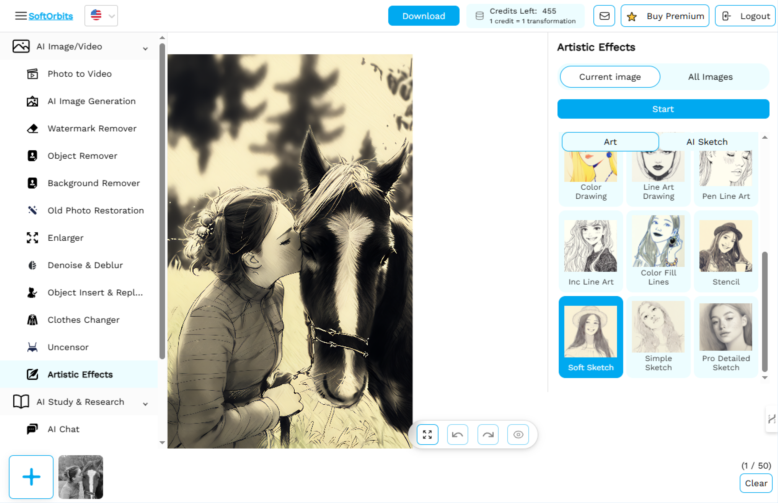
Photo to Sketch Find these go on apps on the right hand side here and the first one which is photo to sketch is a newer it’s under the new and noteworthy. This is photo to sketch so I need to upload my image. I’ve been using recently the image of my horse.
I will put more transparency on as well I’m not too keen all that background anyway and then just click to transform it into a sketch.
This is quite a large image we’ll see how it works. It’s an interesting act but I would say the photo to sketch perhaps still needs some work not quite there which means this is one that I will not be rushing into using.
Review 2:
Sketch to Life Try the other way around which is the sketch to life. This one is under the AI Image Generation. Since we had the two options it’d be quite fun to see the two together being added in so quickly nowadays. This is sketch to life.
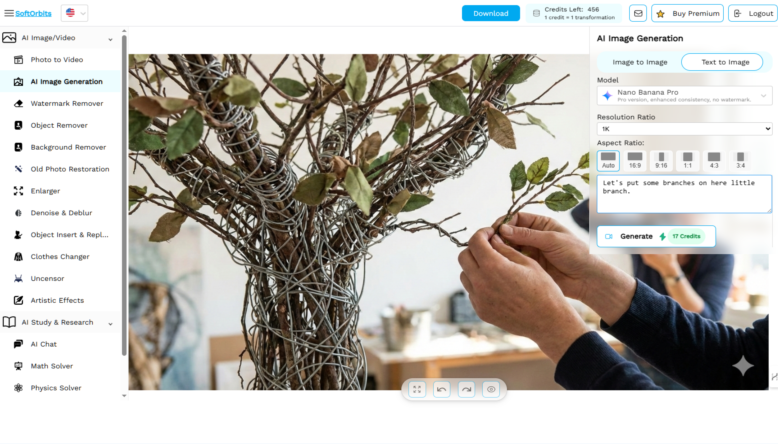
Here you have to add your own sketch it says then you need to describe it. I’m going to do a tree. Let’s put some branches on here little branch. Let’s put some leaves on this tree. They going make a decent photo out of this they’re doing very well.
As you can see we’ve got four credits remaining today you had five credits in total and so I used one and have four left.
This seems to be moving much quicker than it is to go from a photo to a sketch. My tree actually it’s very effective considering how poor my drawing was I think that’s a very good tree.
