

As time goes by, your Mac ends up being less fast, and it’s important to understand how to speed it up. The reality is that most of the time, we just don’t know how to speed up the Mac, and its performance has to suffer. But there are methods you can use to speed your device up.
With that being said, here you have a list with some great ideas and tips to help you speed up the way your Mac works, so check it out!
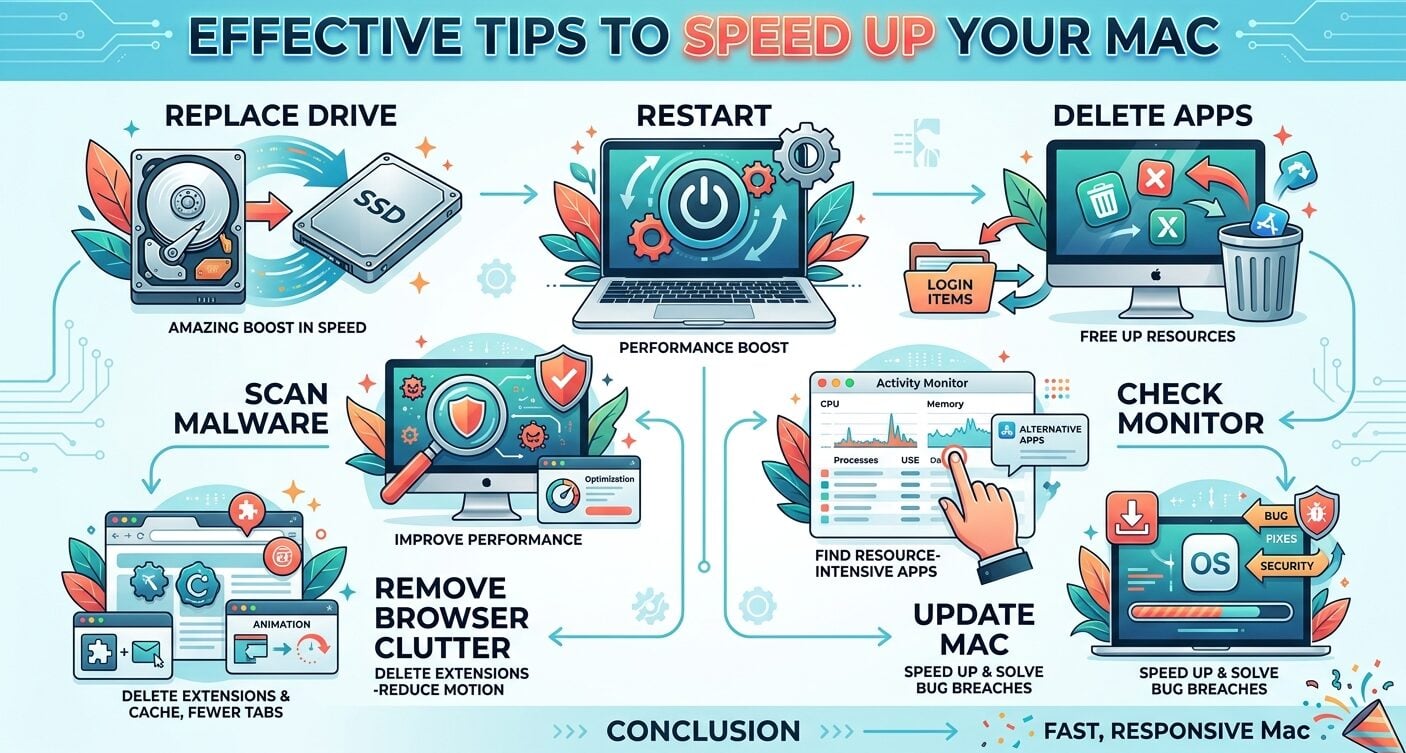
Restart your Mac
The more you use the device without shutting it down or restarting, the worse things get. A good idea is to reboot your device, and it will help provide a boost in performance. If you are one of those people that barely reboot their Mac and still use it all day long, then this might actually help you.
Delete apps you don’t use
The crucial thing to focus on is to delete those apps that you are not using, because they are wasting resources. First, enter the General System Settings, and then choose Login Items and extensions. Remove stuff you don’t want to start with your device.
And then you want to remove apps from your device, too. Most of the time, you will find yourself dealing with a variety of apps that are not as good or as useful.
The best approach is to uninstall apps and then go to the Library folder to remove any of their remaining stuff. It works great, and the outcome can be very impressive.
Check the Activity Monitor
In the Activity Monitor you can see what apps are requiring a lot of resources. And you either close those, or you figure out what alternative apps can do the same things, but consume less resources.
These days, there are a plethora of alternative tools that you can find, and they can be extremely handy. Just take your time and find another app that you connect with, but which also has great reviews overall.

Update your Mac
Simple things can sometimes make the most difference. If you update your Mac, what you will notice is that it works great and it can give you an excellent value.
Updating your Mac means that you can speed stuff up, solve any security breaches, and in the end it will give you consistent benefits.
With that being said, updates come with bug fixes too, so maybe some of the bugs you experienced until now have been fixed, which is amazing in its own right.
Remove browser clutter
A lot of the time, the amount of stuff in your browser can end up lowering the performance. A good rule of thumb is to delete extensions and only keep those you really use. Also, deleting the cache and keeping fewer tabs open is going to boost the performance for your device too.
Update your browser as well, because that will help quite a lot, and it will streamline things, while making the experience better as a whole.
If possible, also try to reduce visual effects. Sometimes, disabling animations will help you improve responsiveness, and it’s totally a thing that might be able to help you more than expected.
In the Accessibility/Display part of the System Settings, go and enable Reduce Motion and maybe even Reduce Transparency. It sounds like a simple change, but it’s worth it.
Scan for malware
With this Mac optimization tool, you can scan for malware, and it will be a great idea to consider. Not only does it help you improve the performance of your device, but it delivers excellent results and the outcome as a whole is great.
The upside for something like this is that it can be done as many times as you want. Just make sure that you are using this tool appropriately, and it’s going to be worth the effort.
Replace your HDD with an SSD
Sure, this is a hardware change, but a much-needed one. If your iMac or MacBoook has an older HDD, that will lower its overall speed.
It makes sense to replace that with an SSD. Once you do that, you will see ana amazing boost in performance, and that will help make your Mac work experience much better than expected.
Conclusion
Every single tip shown above is going to help you in some way as you try to speed up your Mac. It all comes down to understanding how this all works, and what you expect from the experience.
In the end, the most important thing is to understand the process, adapt how everything works, and then implement everything appropriately. Take your time and start using these tips, because they are handy and they will help you way more than expected.
