

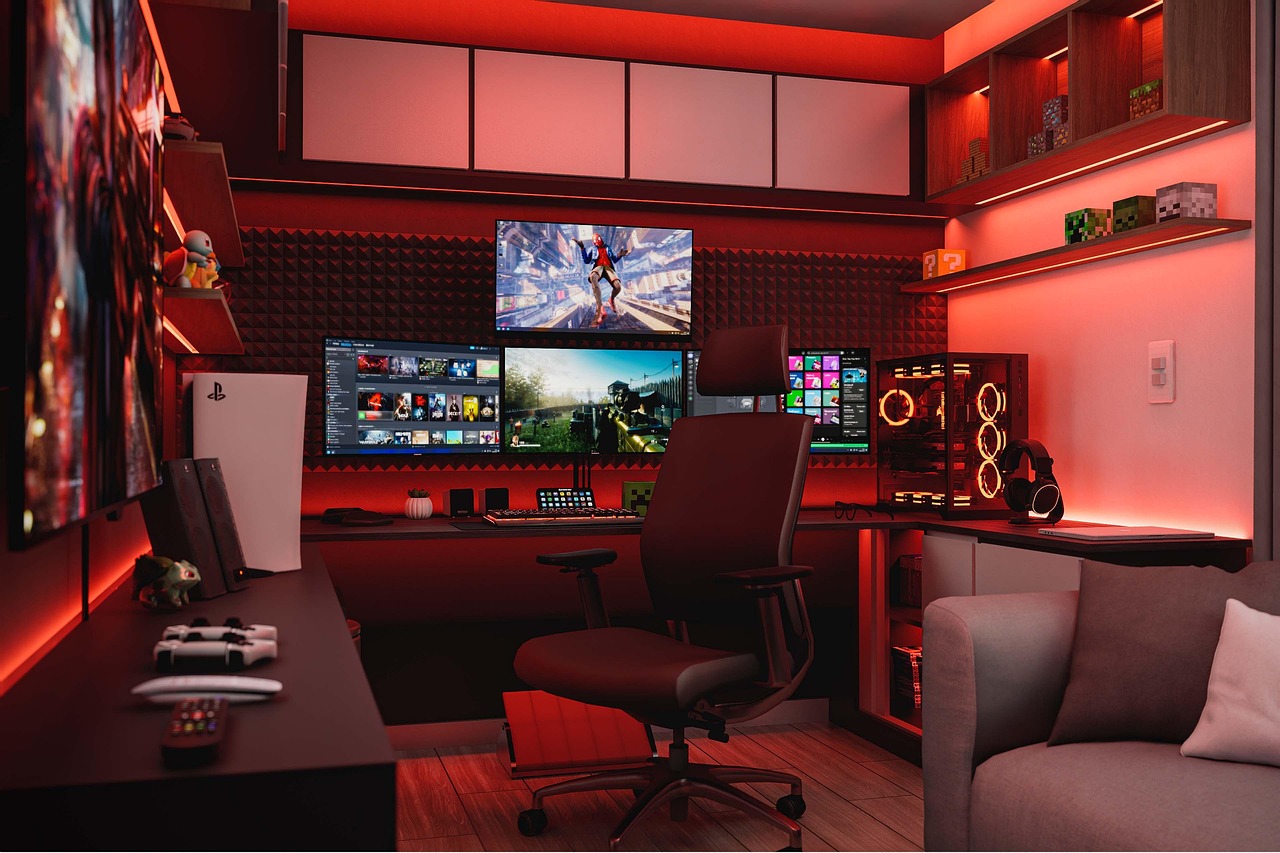
Online worlds pull people in through sight, sound, and touch. These pieces work together and make the screen feel less like a screen. Sensory design guides how this comes across. It turns simple scenes into places that feel active and steady.
When visuals line up with sound and what the player feels in their hands, the mind pays closer attention. The whole thing feels more real.
Each sense adds something of its own, and when they support each other, the moment sticks. You notice this even if you’re not thinking about it. Strong sensory choices can make a quiet scene hit harder and stay in someone’s head long after they log out.
Visual Immersion
Sight shapes the first impression. It sets the tone fast. Since people react to what they see right away, the look of a world often matters as much as the action happening in it. When visuals stay clear and steady, the mind slips into the scene without much effort.
Good visual work helps the world feel real. High-resolution textures give surfaces shape. Light that shifts with the weather or time of day gives scenes a natural rhythm.
When someone walks down a street and sees light bounce off a window or shine against stone, the space feels lived in. The player doesn’t need to imagine missing pieces because the scene already fills them in.
Small details matter, too. A few scattered objects can hint at what happened before. Marks on a wall can show age. Fog, rain, or bright sun can change the mood without extra text. These little touches make the world feel like it has its own story.
As worlds get more detailed, people start to notice how certain design choices line up with things they’ve seen in other online spaces. The same focus on lighting, motion, and smooth visual flow shows up in places built for high stakes casino action.
These platforms rely on clear sights, steady color work, and sharp light cues to keep the eye in the right place. Online games use these ideas for a different purpose, but the effect is similar. When the screen feels calm and steady, the player settles in faster and pays closer attention.
Keeping things steady is important. One strange object or visual glitch can pull someone out of the moment and remind them they’re staring at a screen. So clean edges, smooth motion, and natural colors help keep the world intact.
Another helpful approach is showing information inside the world instead of on giant menus. Maybe a character checks a wrist device for health. Maybe armor lights up with status info. This keeps attention inside the scene and not on a separate display. The player stays in the moment instead of bouncing between menus.
Auditory Immersion
Sound hits fast. It shapes the mood even when you’re not looking at anything. A world with layered audio feels wider and more active. Ears catch small things that eyes don’t. Wind, far-off voices, and soft movement noises make a place feel alive.
As the player moves, the audio should shift. A narrow hall might echo. A wide room feels open. Water rushing nearby grows louder as someone gets closer. These changes help the mind track where the character is, especially in post-apocalyptic games like Fallout
Directional sound makes this stronger. Footsteps behind the player feel like they’re coming from behind. A shout on the left actually sounds like it’s coming from that side. A slammed door might seem distant. These cues guide attention without forcing it.
Sound effects respond to actions. A button click, a step on metal, or a tool firing with a sharp sound makes the action feel physical. These sounds match motion with reaction and help the player feel in control.
Music also sets the mood. Soft notes can calm the scene. Fast beats raise tension. Simple strings can hint at an emotional moment ahead. When the music shifts with what the player does, the world feels more alive without pulling attention away.
Tactile Immersion
Touch doesn’t get talked about as much, but it can make a huge difference. Even a small vibration from a controller can bring the moment closer. A shake during a heavy footstep or a rumble after an explosion adds weight.
New controllers add more feeling. Triggers that push back a little can make pulling a bowstring or squeezing a tool feel more grounded. This pressure ties the player’s hands to what they see on screen.
Wearable gear in VR or AR goes further, including vests that pulse and gloves that send small taps. These pieces match real sensations to what’s happening online. Used in the right way, they help the player forget the room around them.
As the tech improves, the challenge is balance. Too much feedback breaks focus instead of strengthening it. The best systems use touch with intent, adding only what supports the moment. When the cues stay subtle and consistent, players feel the world instead of the hardware, and the immersion holds.
How Sensory Design Works Together?
Here’s how it works. Each sense needs to support the others. A lightning flash should line up with the thunder sound and a quick rumble in the controller.
When a heavy door opens, the look, sound, and feel should land at the same time. When everything matches, the world feels like one solid place.
Too much can hurt the moment. Bright lights, loud sounds, and constant motion all happening at once can be confusing. Sensory design works best when it guides attention without pushing too hard. Clear scenes with clear cues help the player stay focused.
A world also needs steady rules. If a door always sounds the same way when it opens, that sound should stay the same unless the story calls for a change. When cues stay steady, the player settles in more easily.
When sight, sound, and touch match up and react cleanly to what the player does, the mind stays focused. The moment feels smoother. The player reacts quickly and pays more attention. This long, steady focus is one of the main goals behind sensory design in online games.
