

You bought a clean residential pool, wired it into your scraper, and within a day the blocks came back anyway. The instinct is to blame the proxies. But high-quality IPs get flagged all the time, and it usually has nothing to do with the network itself.
It has to do with how the traffic behaves once it leaves your machine. Target sites don’t just look at where a request comes from—they watch how it acts, and a real household IP behaving like a robot is still an obvious robot.
Here’s the uncomfortable truth most proxy shopping ignores: switching providers rarely fixes a behavior problem. You’ll spend money migrating, see a brief improvement while your patterns fly under the radar of a fresh pool, and then watch the blocks creep back the moment the site’s defenses catch up to your habits.
Before you go through that cycle again, it’s worth understanding the handful of behaviors that get good IPs blocked—and how the right setup quietly prevents them.
Blocks Aren’t Just About the IP—They’re About Behavior
A site’s defense system scores every visitor on dozens of signals at once. The IP address is only one of them. Even a perfectly clean premium residential proxy pool will trip alarms if the rest of your request pattern screams automation.
The signals a site weighs most heavily tend to fall into four buckets:
- Request rhythm — how fast and how regularly you fire requests.
- Session consistency — whether your IP, cookies, and headers tell the same story over time.
- Geographic logic — whether your location makes sense for what you’re doing.
- Fingerprint coherence — whether your browser or client looks like a real one.
Get any of these wrong and the cleanest IP in the world won’t save you. Get them right, and even modest IPs last far longer.
That’s why fixing behavior almost always beats buying yet another pool—the IP is the ticket in, but behavior is what keeps you from being thrown out.
The Four Habits That Get Clean IPs Blocked
Most blocking traces back to a small set of mistakes. Here’s what they are, why they trigger defenses, and how to correct each one.
-
Hammering the Target Too Fast
Nothing flags automation faster than inhuman speed. A real person doesn’t load 200 pages in a minute with mechanical precision, and they don’t fire requests at exact one-second intervals for hours. When you push a single IP too hard, you’re not testing the proxy—you’re advertising the bot.
The fix is two-part: slow down, and spread out.
- Randomize your timing. Vary the delay between requests so the rhythm looks organic instead of scripted.
- Rotate across a large pool. Spread the load so no single IP carries a suspicious volume.
- Cap concurrency per IP. Even fast pools look human only when each address handles a light share.
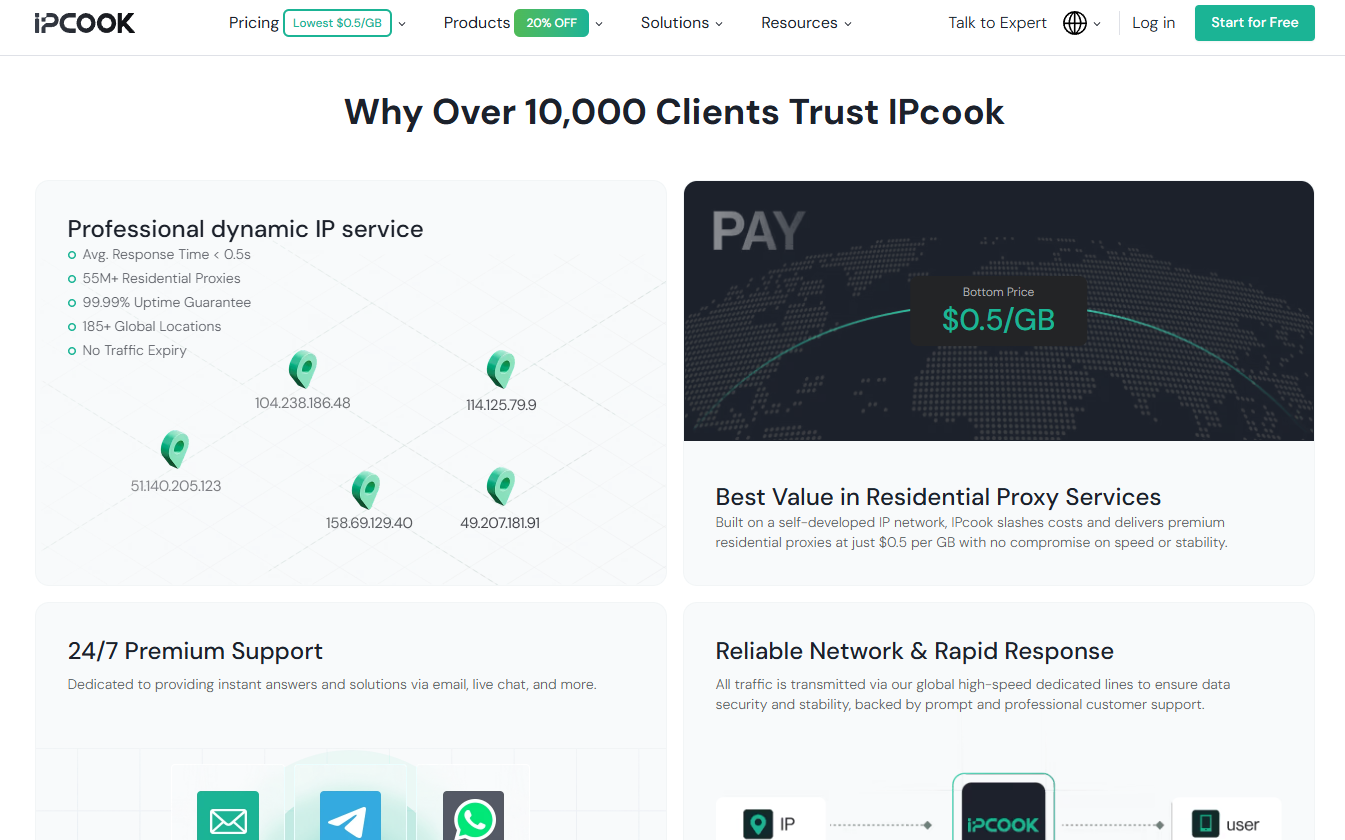
This is where pool size does real work. A network of tens of millions of IPs means each one handles a light, human-looking portion of the traffic instead of a telltale flood—the difference between blending in and standing out.
-
Breaking Session Consistency Mid-Task
Some tasks need the same IP from start to finish. If you’re logged into an account and your IP suddenly jumps from one country to another between clicks, that’s an instant red flag—real users don’t teleport. The same applies to cookies and headers that reset mid-session while the site expects continuity.
For anything that maintains a logged-in state, you want a sticky session that holds the same IP for the duration. The rule of thumb is simple:
- Rotating IPs — for stateless, high-volume scraping where every request is independent.
- Sticky sessions — for logins, carts, checkouts, and any multi-step flow tied to one identity.
Mixing these up is one of the most common self-inflicted blocks, and it costs nothing to avoid once you know the distinction. A pool that lets you hold the same IP for up to 24 hours covers even long, multi-stage workflows without a mid-task identity swap.
-
Ignoring Geographic Logic
If you’re scraping a Japanese store’s local pricing but your IP resolves to Brazil, the mismatch itself is suspicious—and the data you get back may be wrong anyway, since the site will serve you the wrong region’s content. Location isn’t just about access; it’s part of looking legitimate.
Match the IP’s location to the task. That means targeting by country, and for local-sensitive work, by city:
- Checking regional pricing → use IPs from that exact region.
- Verifying localized ads → match the target market precisely.
- Monitoring local search results → city-level targeting where it matters.
- Testing a geo-gated feature → confirm the IP resolves where you expect.
-
Reusing One Identity for Everything
Running every project through a single set of credentials and one undifferentiated stream of traffic makes your whole operation look like one giant, tireless entity. It also means one flagged task can drag down the rest—when everything shares an identity, a single block can cascade.
The cleaner approach is to compartmentalize: separate your work into isolated budgets and lanes so each task carries its own footprint and its own limits. If one project trips a defense, the damage stays contained instead of spreading across your entire operation.
How the Right Setup Prevents These Blocks by Default?
The encouraging part is that good tooling makes most of these habits automatic rather than something you have to police by hand. Using IPcook as a reference, here’s how each safeguard maps to a real feature.
| The Habit That Gets You Blocked | The Feature That Prevents It |
| Overloading one IP | 55M+ IP pool across 185+ countries spreads the load |
| Broken session identity | Sticky sessions holding the same IP up to 24 hours |
| Geographic mismatch | Country- and city-level targeting |
| One identity for everything | 10 free sub-accounts, each with isolated traffic budgets |
| Untraceable failures | Dashboard with 30-day usage history by sub-account and location |
A few of these deserve a closer look:
- A large, clean pool does the heavy lifting on request rhythm. When you have millions of ethically sourced residential IPs to draw from, no single one has to shoulder a suspicious volume. Reaching for premium residential proxies sourced from genuine households means the IPs behave like real users before you’ve configured anything—you’re starting from a clean baseline instead of fighting uphill.
- Sub-account isolation solves the identity problem structurally. Each task gets its own credentials and its own traffic quota, so a block on one project stays contained and never bleeds into another. Everyone still works under the master account, but each job runs in its own lane with its own budget.
- Usage visibility turns mysterious blocks into diagnosable events. When the dashboard shows exactly which sub-account used which locations and how much traffic, over up to 30 days, you can actually see the behavior that triggered a problem instead of guessing at it after the fact.
The Cost of Getting This Wrong—and the Payoff of Getting It Right
It’s worth being concrete about stakes, because sloppy habits don’t just cause blocks—they quietly drain budget and time.
- Wasted traffic. Every blocked request often still consumes bandwidth, and most workflows retry two or three times before giving up. Bad behavior multiplies your traffic bill.
- Lost engineering hours. Someone has to notice the failures, dig through logs, and re-run jobs. That time costs more than the proxies do.
- Damaged accounts. On login-based tasks, a flagged IP can get an account limited or banned—a cost measured in far more than gigabytes.
Flip each of those around and you get the payoff of disciplined usage: fewer retries, cleaner data on the first pass, longer-lived accounts, and a success rate high enough that you stop thinking about proxies at all. Good behavior compounds in your favor exactly the way bad behavior compounds against you.
A Simple Pre-Flight Checklist Before You Blame the Proxy
Next time blocks appear, run through this before switching providers:
- Is your request rate randomized and reasonable? Inhuman speed is the number one giveaway.
- Does your session type match the task? Sticky for logged-in flows, rotating for stateless scraping.
- Does your IP location match your target? Mismatched geography is both suspicious and inaccurate.
- Is each task isolated? Separate budgets and credentials keep one failure from spreading.
- Can you actually see your usage? If you can’t inspect the behavior, you can’t fix it.
If all five check out and you’re still blocked, then it’s fair to question the pool—but on a clean, well-sourced network, you rarely get that far.
The Bottom Line: Fix the Behavior, Keep the IPs
Clean IPs are necessary but not sufficient. The providers worth trusting give you genuinely sourced residential IPs and the controls—rotation modes, sticky sessions, precise geo-targeting, sub-account isolation, real usage visibility—that let those IPs behave like the real users they came from.
Blocks are far more often a symptom of how traffic is shaped than of where it originates. Get the habits right, lean on tooling that enforces them by default, and you’ll stop cycling through providers in search of a fix that was in your own configuration all along.
