

Choosing video editing software can become difficult when many tools offer similar features. Long feature lists may seem useful but cannot show real value during editing. Filmora video editing software lists 24 AI tools designed to support different parts of video editing.
Yet feature count alone cannot show how much time an editor can save. Workflow value shows how software supports each step of the complete editing process. Filmora 16 combines Media Analysis with color controls and keyframe animation for creators.
Part 1. Check the Core Editing Tools Behind the AI
Every smart feature sends its results back to the main editor for final work. A slow timeline or poor export can add extra work to every project.
Filmora video editing software supports cutting and trimming footage through its main multitrack editing timeline system. The table below shows 5 core editing areas worth checking during any trial:
| Foundation | What to Check During Editing |
| Timeline Editing | Place video, music, captions, and effects on separate tracks. Move one clip without shifting other timeline elements. |
| Trimming | Cut unwanted footage and shorten long pauses without making the editing process difficult. |
| Audio | Keep voices clear above background music. Adjust volume levels manually for better sound control. |
| Visual Adjustments | Use brightness, contrast, rotation, and crop to fix common problems in recorded footage. |
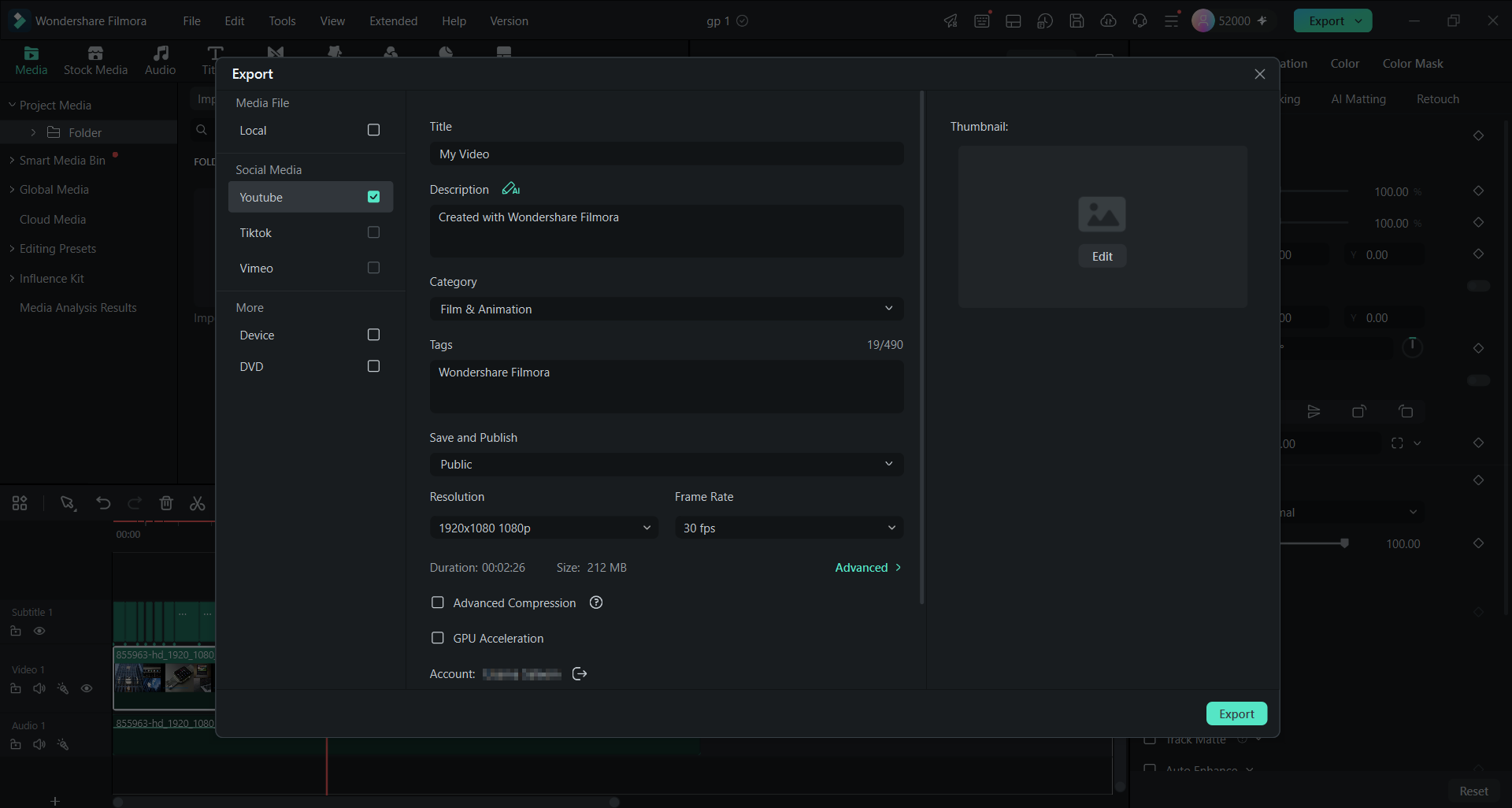
| Export | Export 16:9 videos and 9:16 clips. Filmora supports formats including MP4, MOV, AVI, MKV, and MPEG. |
Note: Filmora also supports direct YouTube exporting and offers compression settings that can help optimize video files for online sharing.
Part 2. Choose AI-Assisted and Automated Tools That Reduce Repetitive Work
Useful AI editing tools should reduce the time creators spend preparing footage for the timeline. Filmora 16 supports tasks such as removing unwanted pauses, generating captions, and reducing background noise.
These features help with repetitive work while leaving pacing, storytelling, and visual style decisions to the editor. Here are 3 tasks where AI can make everyday editing more efficient:
- Pause Removal: Silence Detection identifies quiet sections based on adjustable volume and duration settings. Editors can preview the results and remove unwanted pauses while preserving those needed for natural pacing.
- Caption Drafts: Speech to Text converts spoken dialogue into captions that editors can review and refine before publication.
- Noise Cleanup: Audio noise reduction can help reduce background sounds such as fan hum, while editors can review the result and adjust the settings to preserve natural-sounding speech.
These tasks save editing time, but final choices about pacing and presentation stay with creators.
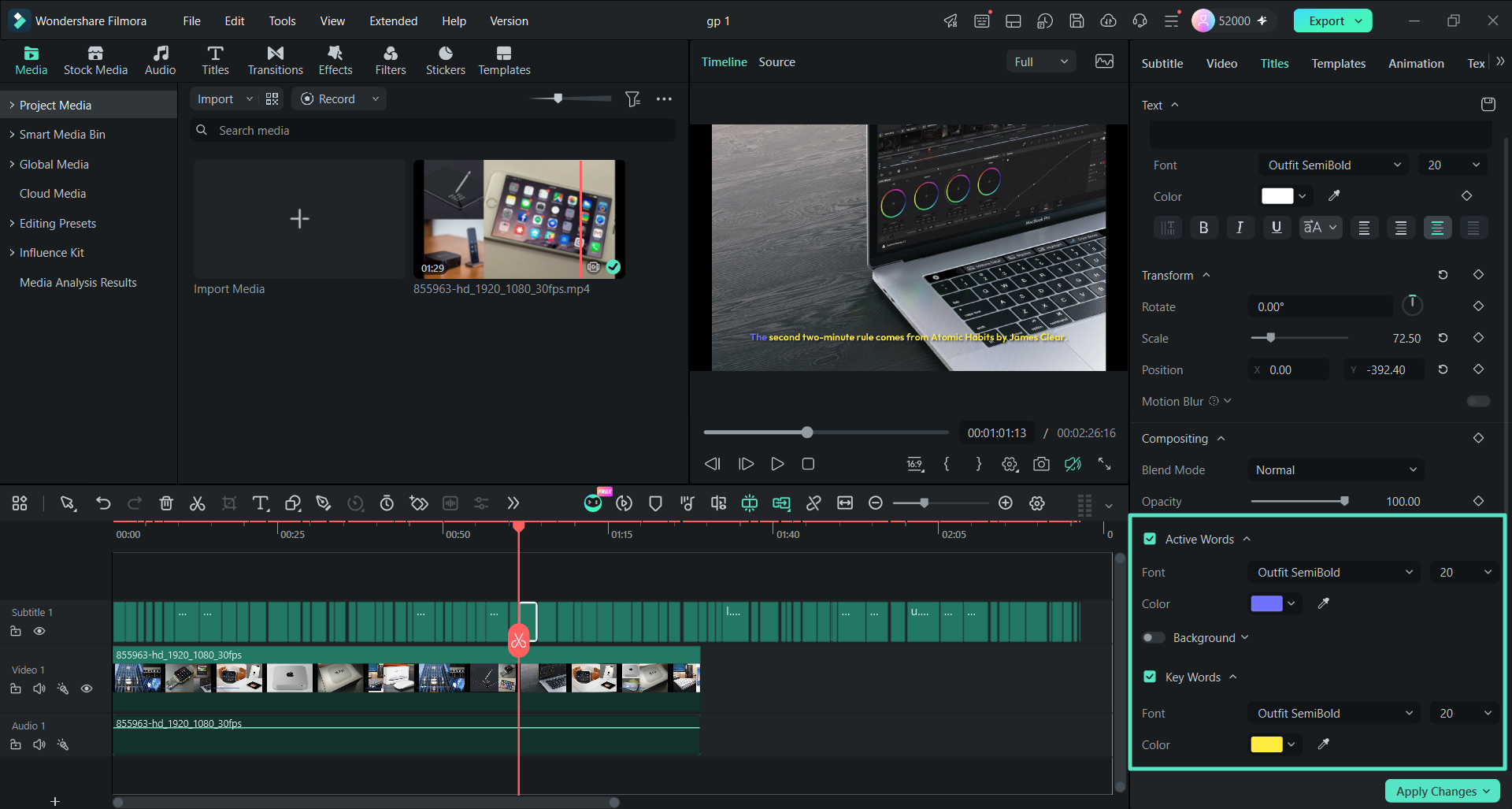
Note: Dynamic Captions can add animated caption styles, while creators can customize the appearance to match their channel’s branding.
Part 3. Look for Manual Controls Beyond Automatic Editing
Manual controls become important when automatic fixes cannot match a creator’s exact vision. Color correction and keyframe animation provide the detail needed for precise visual refinement. Let’s look at how both controls shape the final result after automatic edits.
Color Correction Beyond the Auto Fix
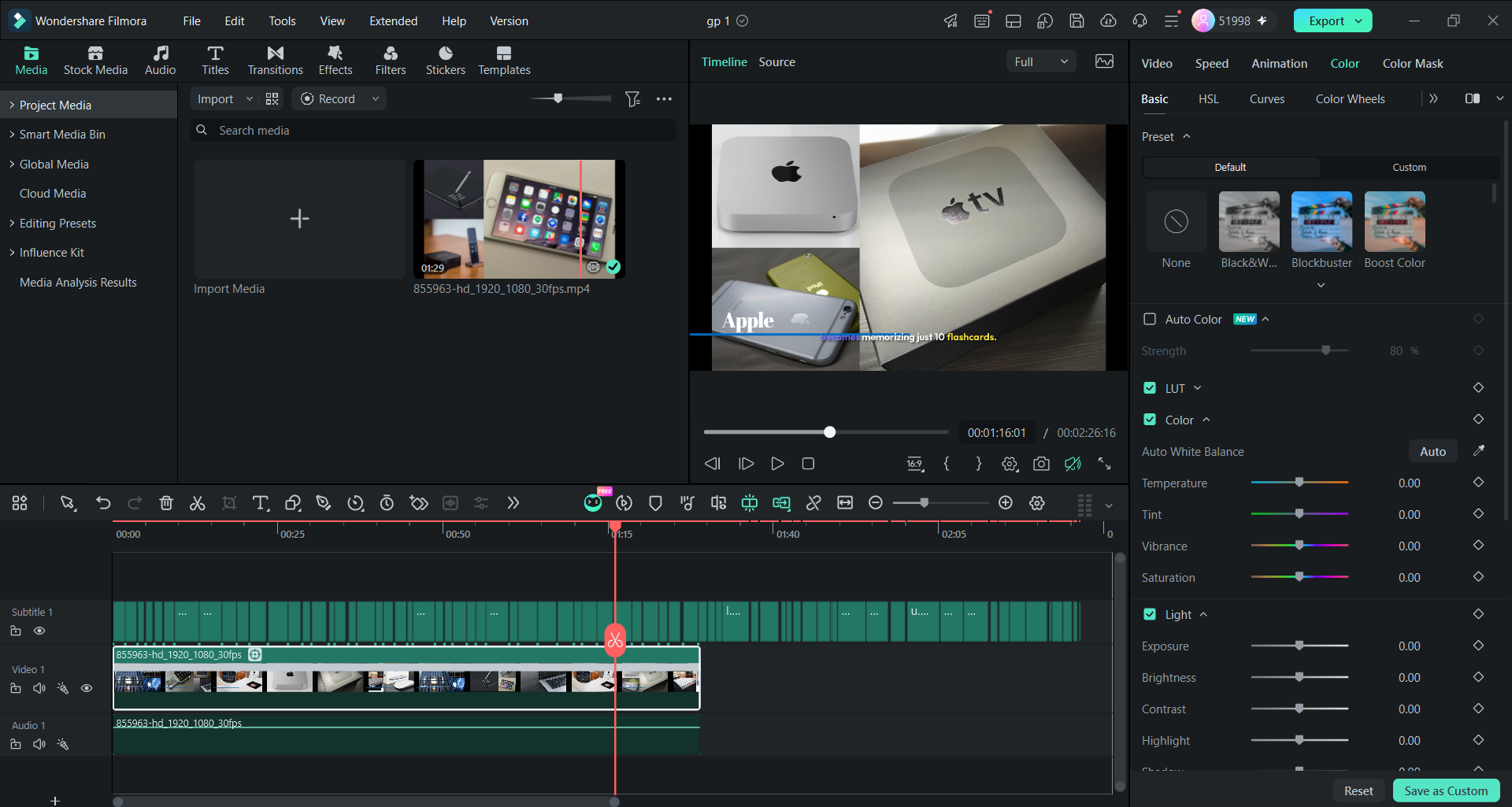
Auto Color provides an automated starting point for improving exposure, contrast, color balance, and skin tones. Editors can adjust the effect strength and use manual color controls to refine the result or match footage from different cameras.
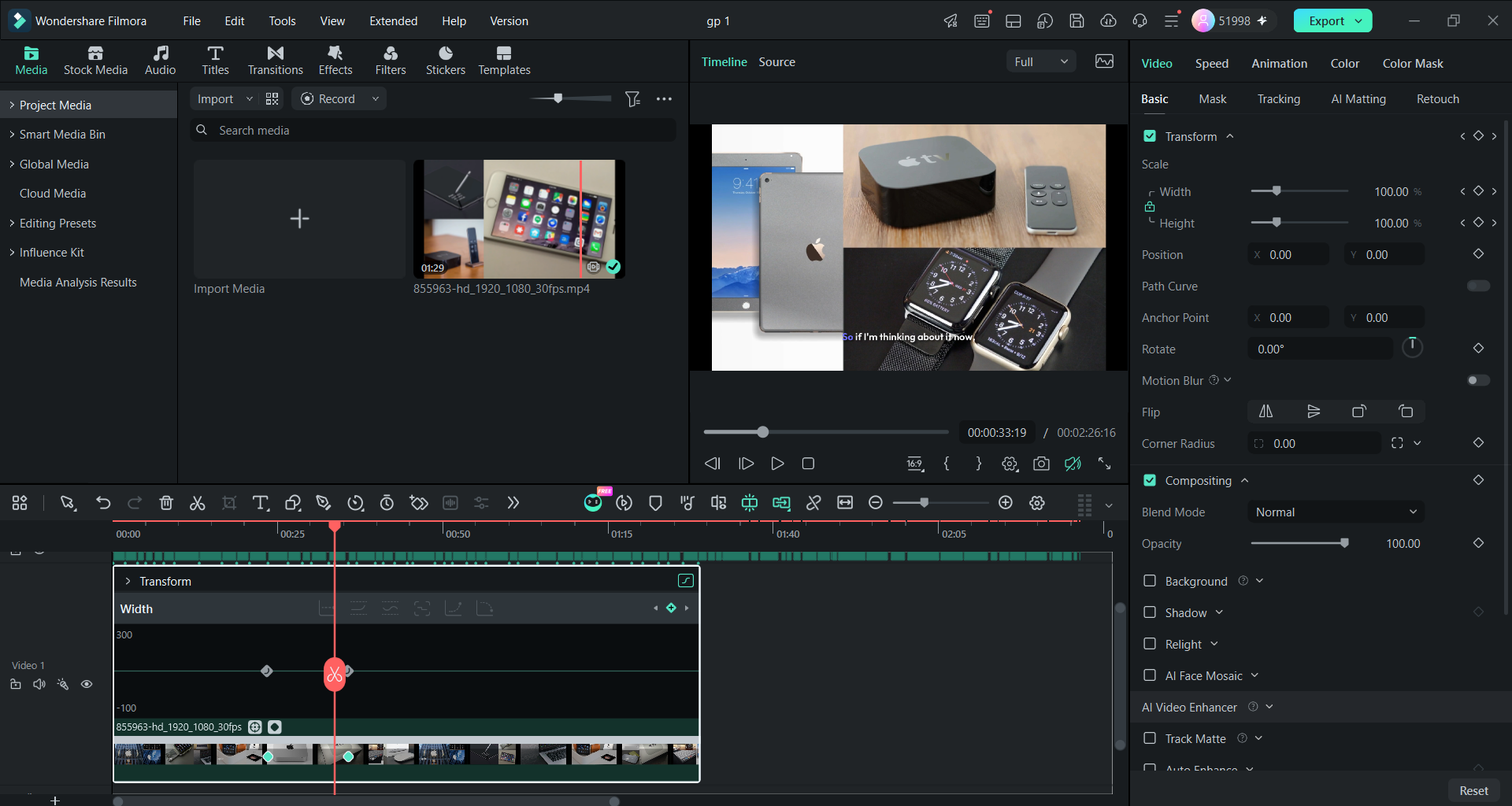
Keyframe Animation With Exact Timing
Keyframes place text, labels, and graphics at exact moments inside the video timeline. Filmora supports keyframe animation controls that shape movement beyond basic position and size changes.
Options such as ease in and ease out create smoother movement between points. Comparing these controls shows how much freedom each editor gives for animation work.
Part 4. Check How AI Fits Into the Full Editing Workflow
Smart tools save more time when their results stay inside the editing workspace. Moving files between different programs adds extra steps and slows the editing process. Filmora 16 keeps video analysis and standard editing tools inside one desktop workflow. Here are 4 steps showing how Media Analysis fits into that editing process:
- Analysis: AI Media Analysis analyzes supported videos and images, generating keywords, descriptions, ratings, and suggested moments that help editors narrow large media libraries before detailed review..
- Labels: Each clip receives clear details that make useful footage easier to find. Creators can review promising clips first instead of searching the entire recording.
- Timeline: Chosen clips move onto the timeline without leaving the current project. Creators can trim footage and add captions in the timeline.
- Refinement: Detailed changes happen inside the same project after the main edit. Creators can adjust colors and keyframes before exporting their finished video file.
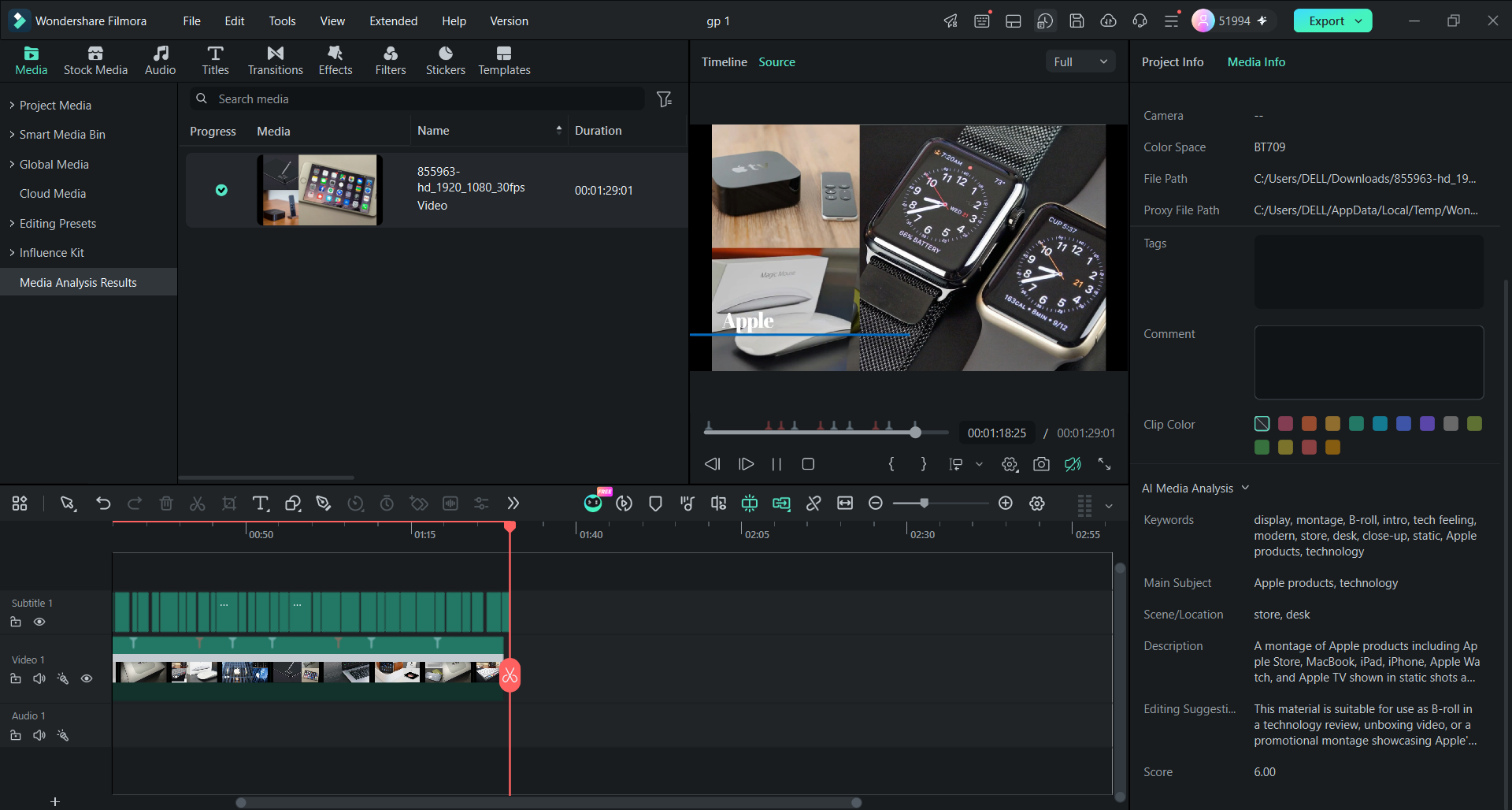
The main advantage of an integrated workflow is that creators can move from AI-assisted media review to timeline editing without repeatedly exporting footage to separate applications.
Note: A credit cost appears before the analysis starts, so the scan is best saved for long recordings such as the full session.
Part 5. Choose Editing Software That Can Grow With Your Skills
Creators often start with simple videos that require trimming, captions, and basic visual adjustments. As their skills improve, projects may demand more precise audio mixing, color correction, and animation.
Filmora 16 supports this progression by keeping beginner-friendly features alongside more advanced editing controls.
A creator can begin with templates and automated editing assistance before moving into multitrack editing, keyframe animation, and compositing.
Larger projects can also benefit from Filmora’s Dual Timeline workspace and masking tools. This flexibility helps editors take on more demanding work without rebuilding their workflow around unfamiliar software.
Conclusion
AI works best when its results move directly into the main editing workflow. Feature counts alone cannot show how much time creators save during real editing.
Filmora 16 connects AI Media Analysis with manual tools inside one editing project. Creators can prepare footage faster and keep full control over final editing decisions.
