

Introducing mobile game cards is as much a guest-service project as a technology project. A working phone tap matters, but so do the instructions at the entrance, the cashier’s explanation, and the steps a parent follows to add more play credits. A successful rollout connects those moments into a visit that feels easy to understand.
For arcade operators, the practical approach is to define the guest journey, confirm the system setup, and give staff time to practice before expanding. Start with a manageable pilot and use what happens on the floor to shape the wider launch.
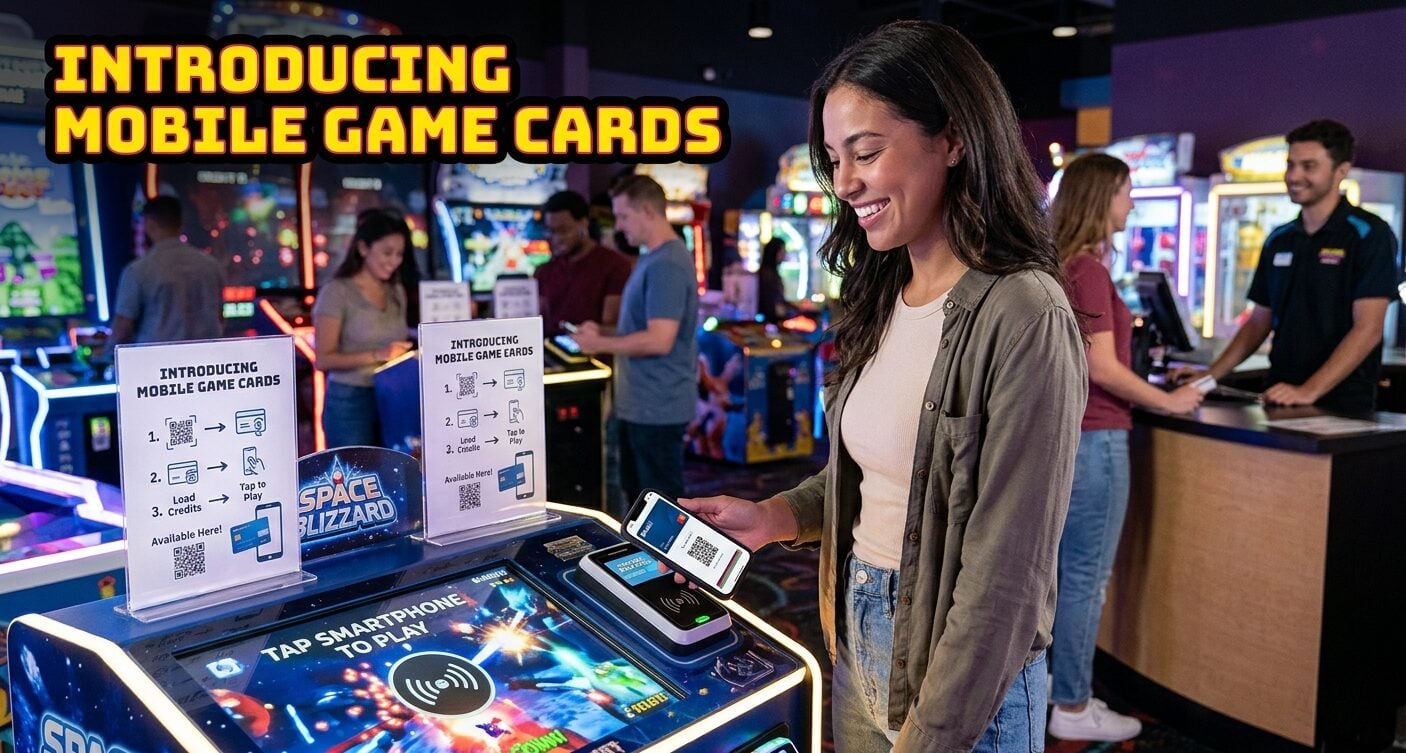
Define what guests will be able to do
A mobile game card is a digital way to identify a guest’s arcade play account. Depending on the solution, guests can use a phone-based card to access play value and related account functions. It is different from simply using a phone to pay a cashier for a plastic game card.
Before writing signs or announcing the service, agree on the exact functions available at the venue. Can guests add an existing card to their phone? Where do they check credits and tickets? How do they reload? Which games and service points accept the mobile card?
Ask the provider to demonstrate each action using the proposed configuration. Turn those demonstrations into a short feature list for staff. That list should describe what guests can do today, not every option the platform might support elsewhere.
Keep physical cards available as part of the service plan. Guests may have different preferences, and family groups may use several cards during one visit. Clear choices let staff explain the mobile option without complicating admission for everyone else.
Walk through the current visit
Observe how guests enter, buy credits, find games, reload, and redeem tickets. Note where questions arise and where visitors leave the game floor to find help. Spend time with both the counter team and floor staff; they often see different parts of the same problem.
Choose a few ordinary visits to follow rather than relying on a single unusually busy party. A family arriving for the first time may need a different explanation than a regular guest who already understands the card system. Write down those differences before designing one set of instructions for everybody.
Time specific tasks where useful. For example, measure the interval between a guest deciding to reload and returning to play.
Record the day, approximate crowd level, and route taken. Those observations create a baseline for comparison after the mobile option launches.
Select a clear initial goal. It might be making the first mobile-card setup easier, helping guests find their balance, or improving the reload journey. A focused goal makes it easier to decide what to test and which results matter.
Confirm the technical setup with the provider
List the reader models, software, kiosks, and counter tools involved in the rollout. Ask the provider which components support the planned mobile-card functions and whether any configuration changes are needed. Use the actual floor inventory rather than a general description of the venue.
Schedule a demonstration with representative games and service points. Check first play, subsequent play, balance display, and ticket updates where applicable. Include both the guest-facing screen and the staff view so the team understands how the same activity appears in each place.
Operators evaluating an arcade Mobile Wallet can use that demonstration to compare the proposed phone-card journey with their existing plastic-card process. Ask to see the steps from registration through the first game, then through a reload and a later visit.
Document the supported phone and wallet arrangements, as well as the instructions the provider recommends. The point is to produce an accurate launch checklist. Staff should know which combinations were tested and where to direct a guest who needs help with a different setup.
Write the guest instructions before printing signs
Draft the setup steps in plain language. Each step should describe one action and show where it happens. Avoid expecting guests to understand terms such as account synchronization or reader configuration; those belong in the implementation meeting, not on an entrance sign.
Follow the provider’s actual enrollment flow. If the process begins with a web page, show how to reach it. If guests link an existing card, explain what information they need. Use screenshots or images only when they match the version guests will encounter.
Test the draft with someone who did not attend the setup meeting. Watch where they hesitate without supplying the answer immediately. A pause can reveal a missing instruction, an unclear button label, or a sign placed before guests have the information they need.
Keep a short version for signs and a fuller version for staff reference. The entrance needs a clear invitation and starting point. The counter team needs the detail to guide someone through the process without guessing.
Practice ordinary questions with staff
Give every shift a chance to use the mobile card before the pilot begins. Have employees complete the guest steps themselves, then explain those steps to a colleague. Hands-on practice helps them identify details that a presentation can miss.
Build a few short role-play scenarios around the venue’s actual visitors. A regular guest wants to link an existing card. A parent wants to understand the options for several children. A visitor prefers a physical card. Staff should have a straightforward response to each situation.
Agree on the point where a question moves from the cashier to a supervisor or provider support. Keep the relevant contact details near the service desk.
This prevents a guest from repeating the same explanation to several employees while everyone searches for the next step.
Use a brief, natural introduction rather than a memorized sales pitch. Staff can explain the available phone-card option, show where setup starts, and ask whether the guest would like help. The goal is a useful choice, not a lengthy conversation before every admission.
Put signs where decisions happen
Match each sign to one task. At entry, tell guests that a mobile game-card option is available and show where to begin. Near the counter, explain how to get assistance. Near relevant service points, show how to find balance or reload functions supported by the venue.
If QR codes are part of the flow, test them from the locations where they will be used. Check lighting, viewing distance, and whether a waiting line blocks the sign. A code that works on a manager’s desk may be awkward to scan beside a crowded entrance.
Use a direct destination rather than sending every code to a general homepage. Label the code so guests know what will open. “Set up your mobile game card” is more informative than an unlabeled square with a brand logo beside it.
Keep instructions consistent across signs, staff scripts, and digital messages. When the flow changes, update every version together. Conflicting steps can create more questions than having fewer signs in the first place.
Run a pilot that covers a complete visit
Choose a manageable group and a period that gives the team time to observe repeat use. Regular guests can offer useful feedback because they already know the venue, while first-time visitors help test whether the instructions stand on their own.
The pilot should include the whole visit, not only the first tap. Observe setup, first play, a balance check, a reload, and ticket redemption where included. If returning guests are part of the test, ask them to use the same process on their next visit.
Assign someone to collect staff observations at the end of each shift. Record the task, the question or delay, and what resolved it. A note such as “guest could not find the reload page from the instructions” is more useful than “mobile was confusing.”
Make small changes between test periods. Changing signage, enrollment wording, package pricing, and staff coverage at once makes it difficult to identify what helped. Keep a simple change log so the team can connect feedback to the version guests actually used.
Measure adoption alongside the guest experience
Begin with setup completion. Where the system provides the relevant figures, compare how many guests start enrollment with how many finish. Combine that count with staff observations to understand which step needs attention. Numbers identify a pattern; conversations often explain it.
Track active mobile-card use separately from registration. Adding a card to a phone is not the same as using it during a visit.
Choose a consistent definition of an active card, such as one used for gameplay during the reporting period, and keep that definition unchanged.
Compare reload journeys with the baseline gathered before launch. Review time, help requests, and guest comments as well as transaction counts. A quieter service desk may reflect a better process, but it could also reflect a quieter afternoon, so consider attendance and staffing together.
Spending and reload figures can add context, but they are not the only measures of success. Compare similar days and note other changes, such as a school holiday or new promotion. Avoid attributing every movement in sales to the mobile-card launch.
Expand when the process is repeatable
Before the wider launch, confirm that each shift has trained staff, current instructions, and an agreed support route.
Review unresolved pilot questions with the provider and update the internal checklist. The broader announcement should match the experience the team can deliver.
Expand in stages that fit the venue’s staffing and guest traffic. Keep a named owner for sign updates, staff questions, and weekly results. Continue collecting observations after launch; visitors arriving later may encounter the service without the extra help available during a pilot.
A mobile game-card rollout works best when the technology and the service routine develop together. Define the available functions, test the complete visit, and make the first explanation easy. Those practical steps give guests a clear choice and give operators a useful basis for improving the experience over time.
