

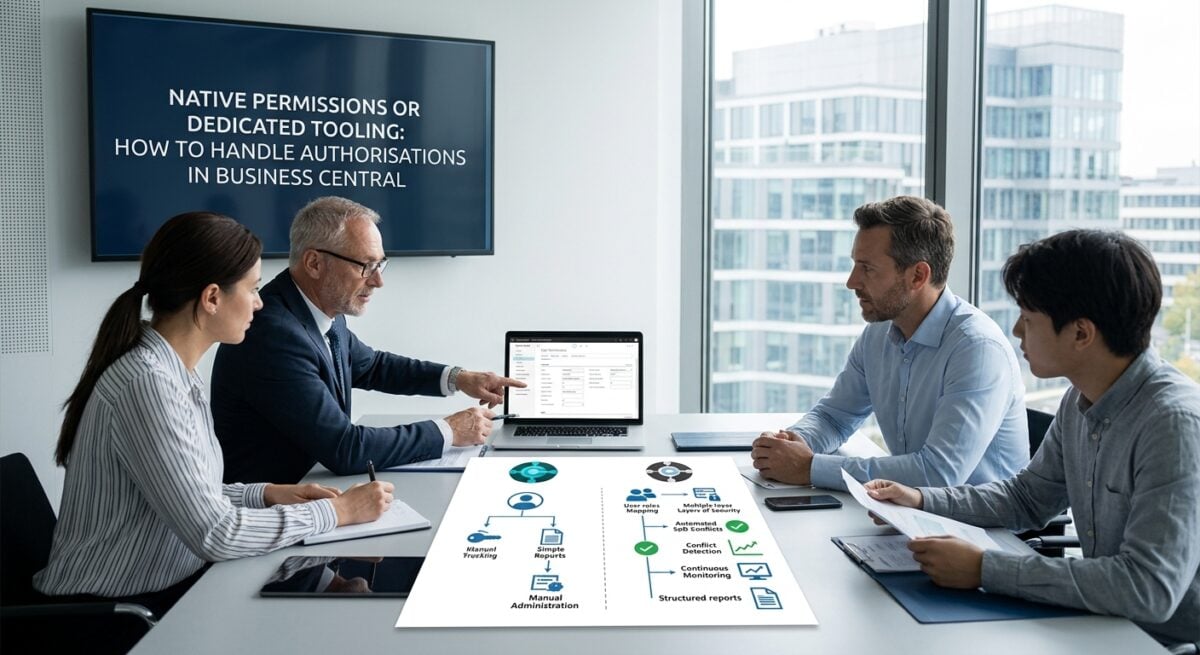
Every organisation running Microsoft Dynamics 365 Business Central faces the same question at some point: are the built-in permission sets enough, or is it time for a dedicated authorisation tool?
The answer depends on factors like company size, compliance obligations, and how much time the IT team can realistically spare. Getting it wrong can lead to audit failures, security gaps, or hours of unnecessary manual administration.
Business Central ships with a permission system that covers basic needs. Users can be assigned predefined permission sets, and administrators can create custom ones to match specific roles. For smaller implementations with a handful of users and straightforward processes, this native setup often does the job.
Dedicated authorisation platforms take a different approach by adding layers of control, monitoring, and automation on top of Business Central.
Providers such as https://www.2-controlware.com have built solutions specifically for this ERP environment over many years. These tools typically address segregation of duties, conflict detection, and continuous monitoring in ways the native system was never designed to handle.
Setting Up and Configuring Permissions
The native permission model in Business Central uses permission sets that can be assigned directly to users or through security groups. Microsoft has improved this model over recent versions, introducing composable permission sets and the ability to copy and modify existing ones.
Still, configuring permissions for a complex organisation with dozens of roles often means creating and maintaining a large number of custom sets manually.
Dedicated tools typically offer visual role designers and templates that speed up initial configuration. Some solutions let administrators map organisational roles to technical permissions without needing deep knowledge of the underlying BC objects.
That difference matters most during implementation projects and when onboarding new business entities or departments.
Day-to-Day Administration and Maintenance
Maintaining authorisations natively requires administrators to track every change by hand. When a colleague switches departments or takes on additional responsibilities, someone must remember which permission sets to add and which to remove. In organisations with frequent role changes, this quickly becomes a source of errors and oversights.
Automated tooling reduces that burden considerably. User templates, for instance, allow an administrator to assign a predefined role profile in a few clicks rather than adjusting individual permission sets.
Continuous monitoring features can flag unexpected permission changes or dormant accounts, something that is difficult to achieve through Business Central alone.
Compliance and Audit Readiness
Regulatory frameworks such as SOx and the GDPR place specific demands on access control within ERP systems. Auditors want to see not only the current state of permissions but also a clear history of who had access to what and when.
Business Central logs certain activities, but producing a comprehensive authorisation audit trail from native logs alone can be time-consuming and incomplete.
Purpose-built authorisation software typically maintains a detailed change log and offers reporting modules geared towards audit requirements. Conflict detection for segregation of duties is another area where native tools fall short.
An employee who can both create purchase orders and approve payments represents a classic SoD conflict, and spotting such overlaps manually across dozens of permission sets is error-prone at best.
Segregation of Duties at Field Level
The native model in Business Central operates primarily at the object level: tables, pages, reports. Restricting what a user can do within a specific page, such as hiding a particular field or blocking edits to a sensitive column, is not straightforward without extensions or developer customisation. This gap is significant for organisations where compliance demands granular control over data access.
Certain dedicated solutions, including the product range from 2-Controlware in Breda, offer field-level security and validation capabilities.
That means an administrator can restrict access to individual fields, apply filters per user, or enforce data-entry rules without modifying the application code. For organisations subject to strict compliance regimes, this granularity is often the deciding factor when evaluating their options.
Cost and Resource Considerations
The native route has an obvious advantage: it is included in the Business Central licence at no additional cost. For organisations with simple structures and limited compliance exposure, the time investment in manual management may remain perfectly acceptable.
There is, however, a hidden cost in administrator hours, audit preparation time, and the risk of security incidents caused by misconfigured permissions.
Dedicated tools carry a licence fee and require an onboarding effort. Whether that investment pays off depends largely on the number of users, the frequency of role changes, and the weight of compliance requirements.
Organisations with several dozen Business Central users and external audit obligations often find that the time savings and reduced risk outweigh the subscription cost relatively quickly.
Matching the Approach to the Organisation
Small organisations with ten users and no external audit pressure can usually manage comfortably with native permissions.
The tooling built into Business Central in 2026 is noticeably better than it was several versions ago, and Microsoft continues to invest in improvements to its security model.
Larger or more regulated organisations face a different calculation entirely. When segregation of duties, continuous monitoring, and field-level restrictions become non-negotiable requirements, the native model reaches its limits.
In those cases, evaluating a dedicated authorisation platform such as those available at 2-controlware.com is a practical next step rather than an indulgence.
