

Food and beverage plants follow strict sanitation rules, run repeated production cycles, and rely on equipment that just cannot fail during production. Maintenance software must connect work orders, preventive tasks, asset records, and compliance evidence without slowing technicians down.
The right selection also supports mobile work, inventory control, and useful reporting. Conducting a practical review of these requirements gives plant leaders a clear basis for comparing systems before implementation begins. Next, the evaluation should focus on daily execution and measurable results.
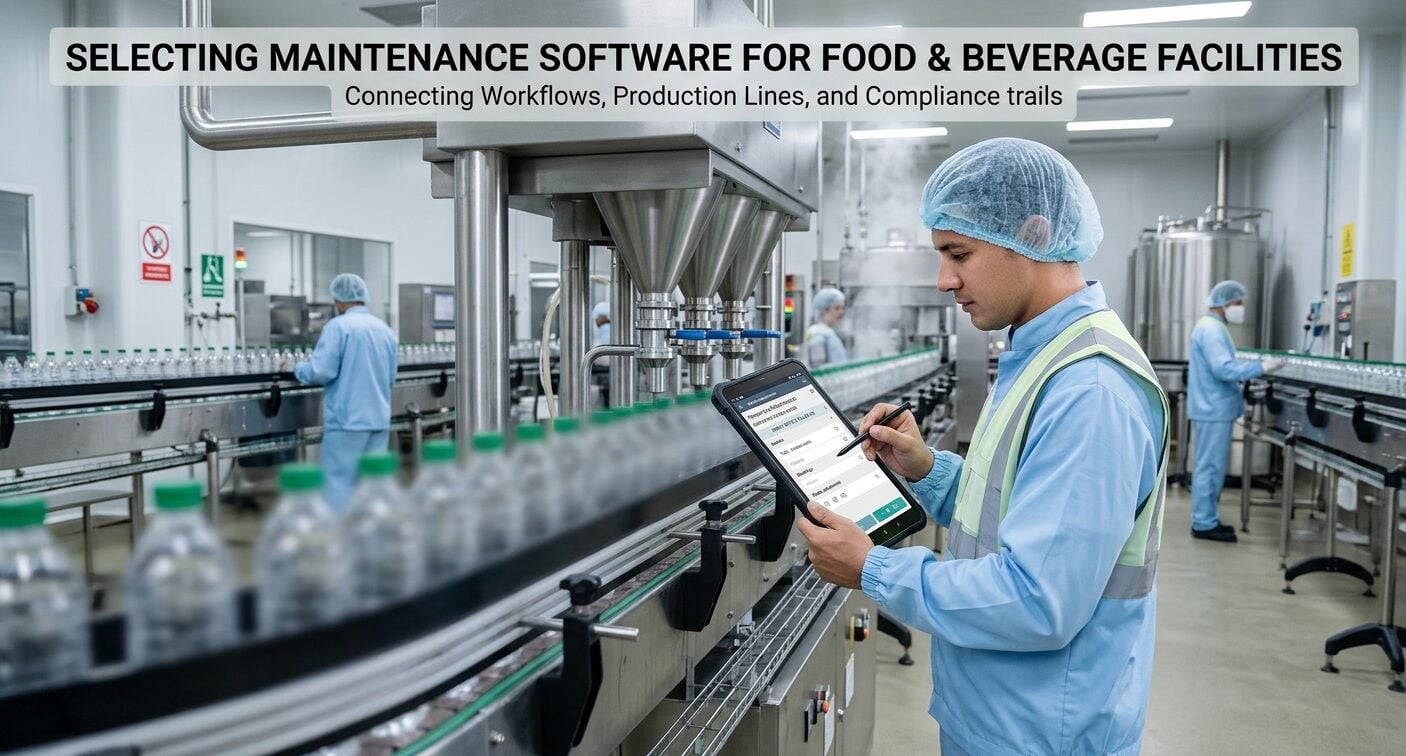
Define the Facility’s Maintenance Requirements
A plant team first needs to define its maintenance workload. Production lines need scheduled inspections, rapid repair response, and records showing who completed each task. The right maintenance software for food & beverage helps teams organize these demands in one working record.
Technicians can receive assignments, add notes, attach photos, and close tasks from the floor. Supervisors see overdue work, recurring failures, and asset history without collecting paper forms.
Each facility should document its equipment types, operating shifts, maintenance roles, and current recording methods. A bakery, beverage bottling plant, and frozen-food facility do not follow identical maintenance routines.
The software must support different production areas, inspection frequencies, approval steps, and escalation rules without adding administrative work.
Evaluate Work Order and Preventive Maintenance Controls
Work order management should cover the full task cycle. A supervisor should be able to create a request, assign it to a technician, set a due date, track progress, and verify completion. Priority levels should separate an immediate production stoppage from a routine repair or housekeeping task.
Preventive maintenance tools should automate recurring inspections and service activities. Schedules should include time, meter readings, or production conditions where appropriate.
Each completed task should retain the technician’s notes, readings, photographs, parts used, and follow-up recommendations.
This record helps planners identify failures that happen time and again and adjust maintenance intervals with documented evidence.
Mobile access matters because technicians often work beside mixers, fillers, conveyors, refrigeration units, and packaging equipment.
A mobile application should let staff view instructions, scan or select assets, update work orders, and attach photos without returning to an office terminal. Offline capability also deserves testing in storage rooms, utility spaces, and production areas with weak connectivity.
Check Asset, Inventory, and Compliance Records
Asset records should show an equipment hierarchy that matches the facility. A line can contain a motor, gearbox, pump, sensor, and safety device, each with its own tasks and history.
Clear relationships are helpful for technicians to locate the correct asset and help managers connect downtime, repair frequency, and maintenance cost to a production area.
Parts control should show stock levels, storage locations, purchase activity, and parts assigned to work orders. Accurate inventory records cut down on emergency searches and prevent technicians from closing tasks without recording material use.
The system should also provide permission controls, change history, and data exports that fit existing purchasing and accounting processes.
Food and beverage facilities need traceable documentation for inspections, sanitation-related equipment checks, and internal reviews.
A maintenance system should preserve completion dates, names, approvals, readings, and attachments. Searchable records reduce time spent locating evidence during an audit and create a consistent history for each asset.

Test Reporting and User Adoption
Reports should connect maintenance activity with plant performance. Useful measures include overdue work, preventive maintenance completion, repeat repairs, downtime, labor hours, parts usage, and response time.
Managers should be able to filter results by site, area, asset, technician, and date without exporting every record for manual analysis.
Adoption comes down to the daily experience of technicians and supervisors. A system with extensive settings still fails if staff need lengthy training for routine tasks.
During demonstrations, actual users should complete a work request, perform an inspection, attach a photograph, record a meter reading, and find a previous repair. Their feedback reveals friction that a management presentation can hide.
Review Integration and Security
Integration and security checks should happen before a purchase decision. The team should confirm how users are added, how permissions are assigned, and how records are exported. It should also test notifications, asset imports, and data backups. Clear retention settings matter when inspection records must remain available for a defined period.
Access controls should separate technician, supervisor, planner, and administrator responsibilities. Review single sign-on, password policies, and audit logs with the facility’s information technology team. These checks protect maintenance records and reduce delays during employee changes or role transfers.
Plan Implementation Around Production
Start implementation with a limited group of assets and work types. The team can build asset records, import preventive schedules, define user permissions, and test reporting before expanding across the facility. This approach exposes missing data and unclear procedures while changes remain manageable.
Training should match each role. Technicians need short instructions for mobile task completion, while planners need guidance on scheduling, backlog review, and reporting.
Supervisors also need a process to check completed work and correct inaccurate records. Clear ownership prevents the system from becoming another incomplete database.
Conclusion
Selecting maintenance software should end with a documented scorecard. Plant leaders should test one recurring inspection, one urgent repair, one parts transaction, and one compliance report with their actual crew. Record completion time, required clicks, offline behavior, and data quality during each test.
Then compare subscription costs with avoided paperwork, faster response, and fewer missed tasks. A short pilot gives decision-makers evidence before the software reaches every production area.
