

You tap the automation. Nothing happens. You tap it again. Still nothing. Then the banner shows up: Errordomain=NSCocoaErrorDomain&ErrorMessage=Could Not Find the Specified Shortcut.&ErrorCode=4.
If you landed here searching that exact string, you already know it’s not a one-off glitch. It’s one of the most common failures in Apple’s Shortcuts app, and it’s been showing up across iOS versions for years without a permanent patch.
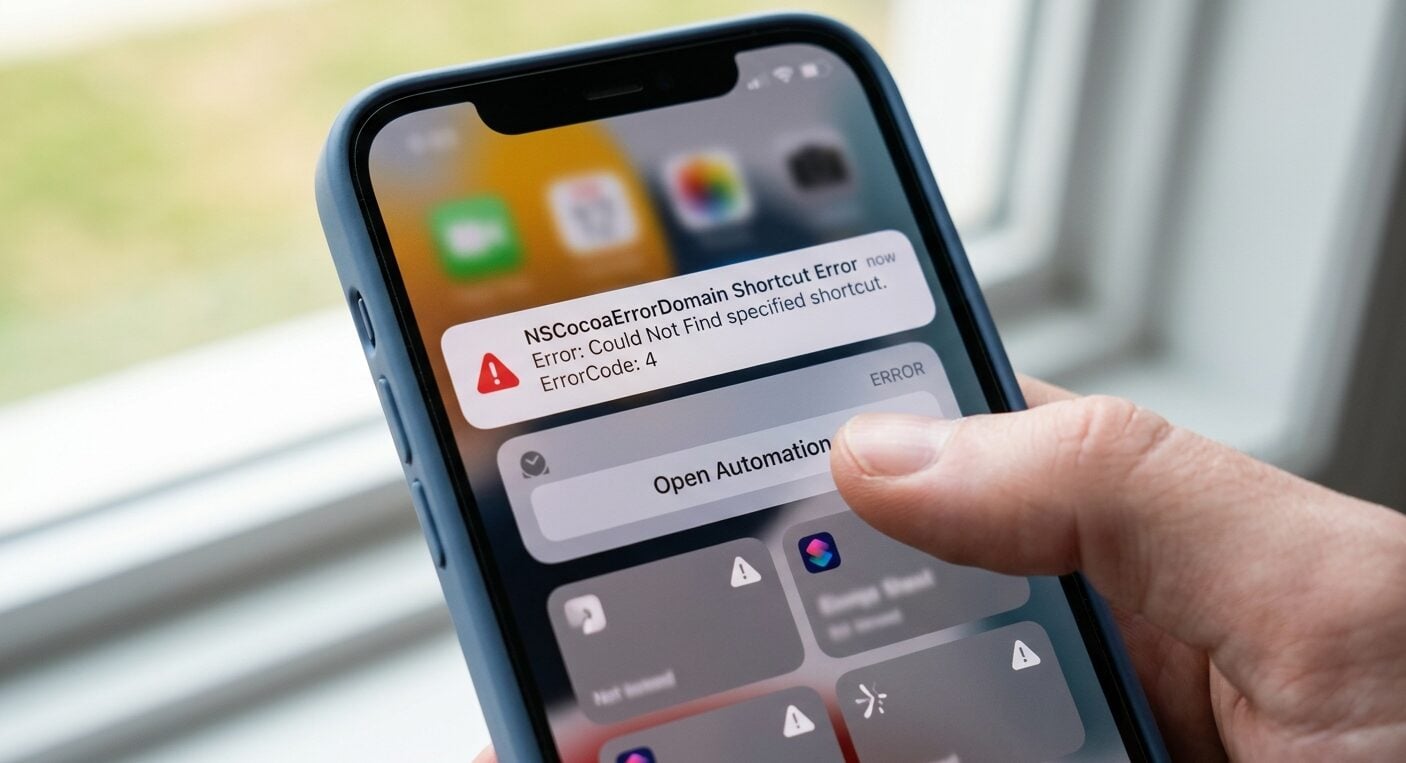
I’ve rebuilt automations for clients running everything from a single morning routine to fifteen-step home automation chains, and this error shows up more than any other single issue I deal with.
Here’s the part most fix-it guides skip. The same broken reference chain that kills your Shortcuts automation is often the exact same mechanism that breaks app logins when you’re connecting from an unexpected location, whether that’s a VPN, a hotel network abroad, or a mobile carrier that reroutes your DNS.
Once you understand why ErrorCode=4 happens, you’ll also understand why certain apps randomly log you out or refuse to load when your network path changes.
Why ErrorCode=4 Actually Happens?
NSCocoaErrorDomain is Apple’s general-purpose error domain. It covers a huge range of underlying problems, but ErrorCode=4 specifically means “could not find the specified shortcut.”
In plain terms: the automation is trying to call a URL scheme, an app extension, or a linked shortcut that no longer exists at the address it expects.
Three things cause this almost every time.
First, an app you’re calling from within the shortcut got updated and changed its URL scheme. Apple pushed several App Store policy updates around inter-app communication that quietly broke older automations built before iOS 16.
Second, iCloud sync dropped a step. Shortcuts stored in iCloud sometimes sync incompletely across devices, especially right after a restore or a major OS update. The shortcut looks complete on your iPhone but is missing a linked action on your iPad.
Third, and this is the one nobody talks about: your network path changed mid-automation. A shortcut that calls a remote API or a login redirect can fail entirely if your device’s route to that server gets altered partway through execution.
The Fix That Actually Works
Start by rebuilding the broken step rather than trying to repair it. Open the Shortcuts app, find the automation throwing the error, and tap into the specific action that’s highlighted or greyed out.
Delete it completely rather than editing it. Apple’s Shortcuts engine has a habit of preserving corrupted metadata even when you edit an action in place.
Next, re-add the action from scratch and re-link any app permissions it asks for. If the shortcut calls another shortcut (a common cause), open that second shortcut independently first and confirm it runs on its own. Nested shortcuts are the single most fragile part of the whole system.
Then check iCloud sync. Go to Settings, tap your name, then iCloud, then scroll to Shortcuts and toggle it off and back on. Give it a full minute before reopening the app. I’ve watched this single step fix automations that no amount of manual rebuilding touched.
Finally, restart the device. Not close the app. Restart it. A surprising number of ErrorCode=4 cases clear up after a full reboot because the OS reloads its cached URL scheme registry, which is exactly the thing that got corrupted in the first place.
Apple’s own redesign of the Shortcuts interface in iOS 17 was meant to make automations more resilient, and it did cut down on some of the older bugs. But the URL scheme fragility at the root of ErrorCode=4 never fully went away. It just got quieter.
When Your Network Path Is the Real Culprit?
This is where things get interesting, and where most troubleshooting guides stop too early.
Shortcuts that call a login redirect, whether that’s a banking app, a work VPN client, or any service with region-based access rules, depend on a clean, consistent network path from your device to the server.
Change that path mid-session and the automation (or the login itself) can throw the exact same kind of “could not find the specified reference” error, just wrapped in a different error domain depending on the app.
I’ve seen this most often with people using a VPN to check account access while traveling. Your phone thinks it’s in Frankfurt.
The app’s login server thinks you’re in Ohio. Somewhere in between, the redirect chain breaks, and you get a generic failure that looks nothing like ErrorCode=4 on the surface but comes from an identical root cause: something in the path no longer resolves where the app expects it to.
US players often reach for a VPN in the first place because most of the sites worth checking out aren’t licensed to operate in their state directly, and a VPN is the simplest way to reach a platform that would otherwise block the connection outright.
That’s a reasonable workaround on its own, but it introduces the exact routing instability that breaks login sessions everywhere else in this article.
This isn’t limited to banking or corporate VPNs either. Players researching offshore casinos that accept US players run into this same wall constantly.
Their VPN reroutes traffic through a different jurisdiction, the platform’s login redirect tries to verify a location that doesn’t match the account’s registration history, and the session gets killed before it ever loads.
It’s not a gambling-specific bug. It’s the same networking failure that breaks Shortcuts automations, just dressed up in a different app’s error handling.
The pattern is consistent once you’ve seen it a few times: the account was verified from one location, the VPN now presents a different one, and the platform’s location check treats the mismatch as grounds to kill the session rather than ask for reverification.
Switching to a VPN server in the same region the account was originally registered from, or logging in once with the VPN off and re-enabling it after, usually clears a session that had been failing for no obvious reason.
Worth a quick aside: if any of this touches gambling apps specifically, keep it sensible. Only wager what you can genuinely afford to lose, and if it stops feeling like entertainment, resources like BeGambleAware.org are there for a reason.
Back to the fix side of things. If you’re building automations that touch login flows (a shortcut that opens a banking app, pulls a 2FA code, or checks account status), test them on a stable, unchanging network first. Add the VPN or location variable only after you’ve confirmed the base automation works.
It isolates whether the failure is the shortcut logic or the network path, and it’ll save you an hour of pointless rebuilding.

Rebuilding for Reliability, Not Just a One-Time Fix
Once the immediate error clears, spend five minutes hardening the automation so it doesn’t come back next month.
Avoid nesting more than two shortcuts deep if you can help it. Every additional layer is another URL reference that can silently break on the next iOS update. Where possible, replace a nested shortcut call with the direct action itself, even if it makes the shortcut longer. Longer and stable beats short and fragile.
Also worth doing: export a backup of any automation you rely on daily. Shortcuts lets you share a shortcut as a file, which you can store in Files or send to yourself. If iCloud sync drops it again, you’re not rebuilding from memory.
For automation ideas and structural patterns worth studying, Zapier’s breakdown of iPhone automation setups is a genuinely useful reference.
Even though it’s aimed at broader workflow building rather than troubleshooting specifically, seeing how a stable automation is structured makes it much easier to spot where your own shortcut went fragile in the first place.
If you’re rebuilding automations that touch financial apps or region-sensitive logins, you might also want to look into how offshore business structures use similar cross-border technology to manage access across jurisdictions. It’s a different context, but the underlying routing logic isn’t far off from what’s breaking your shortcut.
Frequently Asked Questions
Does restarting my iPhone really fix ErrorCode=4?
Often, yes. A full restart clears the cached URL scheme registry, which is frequently the actual source of the error rather than the shortcut itself. It won’t fix a shortcut with a genuinely broken reference, but it resolves a surprising share of cases within seconds.
Why does this error only show up on some devices and not others?
iCloud sync doesn’t always push every action across all your devices at once, especially right after a restore. A shortcut can look complete on your iPhone but be missing a step on your iPad, which triggers ErrorCode=4 only on the device with the gap.
Can a VPN actually cause a Shortcuts error?
Indirectly, yes. If a shortcut calls a login redirect or remote API and your VPN changes your apparent location mid-session, the redirect chain can fail in a way that mimics a broken reference error, even though the shortcut itself is technically fine.
Is nesting shortcuts inside other shortcuts a bad idea?
It’s not forbidden, but it’s the most fragile setup you can build. Each nested layer is another URL reference that can break with a future iOS update. Two levels deep is a reasonable ceiling if you want an automation that survives more than one update cycle.
Will Apple ever permanently fix this error?
Unlikely in one update. NSCocoaErrorDomain covers dozens of unrelated failure types, and ErrorCode=4 specifically stems from how Shortcuts references other apps and shortcuts. Apple has quietly reduced its frequency with each iOS release, but the underlying fragility is architectural, not a single bug to patch.
Rebuilding a broken automation takes ten minutes. Understanding why it broke saves you from rebuilding it again next month, and it’s the same logic that’ll help you troubleshoot half the other login and connectivity issues your phone throws at you.
